Maxthon Browser 3.3.7.2000
Updated on 15 May 2012
By Anthony Buckner
By Anthony Buckner
Specifications
License:
Freeware (Free)
Updated:
Downloads:
22723
Platform:
Windows (All Versions)
Publisher:
Maxthon International Ltd(more)
Website:
User Reviews:
Other versions:
Portable 3.3.7.1000, 3.3.3.1000, 2.5.11
Do you like
Maxthon Browser?
Maxthon Browser?
FindMySoft Editor's Review
Maxthon Browser - fully-featured web browser
Every Internet user needs a web browser in order to access the web. Most operating systems have an included browser. For example, there is Safari on Mac and Internet Explorer on Windows. Even though the Internet Explorer web browser is very popular, this doesn't necessarily mean that it's the best. The truth is that this web browser lacks a lot of features and doesn't please most computer users. This is why it's a good idea to install an additional web browser which can work better and faster.
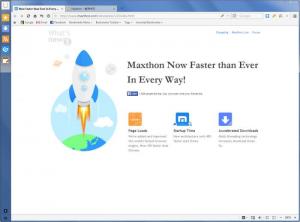
One of these browsers is Maxthon Browser. Even though it's not as popular as Internet Explorer, it has many more features and offers a better browsing speed. The first thing to do is to install the application. In this case, a few clicks are all that takes to get the program into the system. After the installation process is complete and the application is launched, the user will notice a familiar tabbed interface which resembles the one of Internet Explorer, but with added features and options.
The first thing the user will notice about Maxthon Browser is the possibility to write notes and the possibility to synchronize bookmarks, favorite websites and other related data with various devices and computers. This will allow you to browse your favorite websites wherever you are.
Another thing which makes Maxthon Browser different from other browsers is the possibility to capture a certain region of the screen or a whole web page and save it as an image file or copy it into clipboard. Optionally, the image can be edited by adding various shapes and text, before it is saved. This is useful for recalling a certain piece of information displayed in a webpage which doesn't allow text copying.
There is also a translation feature available in the interface, which can translate any webpage from a language to another, using Google Translate. By accessing the options section of the program, the user can add various skins to its interface. Some are included but more skins can be downloaded from the program's website. Using the same options section, the user can customize the browser's functionality in full detail, for example, he can configure various mouse gestures and shortcut keys for performing some of the most important program actions.
Pros:
It offers a faster navigation speed than most other web browsers. Besides that, it allows writing notes and synchronizing bookmarks and favorites with various devices. Furthermore, the interface supports various skins. Moreover, a capturing tool is available, which can save any part of the screen as an image file.
Cons:
The options section, being so complex, can be considered difficult to understand by certain users.
Maxthon Browser is a fully-featured and complex web browser which offers great navigation speed and a multitude of features and options.
One of these browsers is Maxthon Browser. Even though it's not as popular as Internet Explorer, it has many more features and offers a better browsing speed. The first thing to do is to install the application. In this case, a few clicks are all that takes to get the program into the system. After the installation process is complete and the application is launched, the user will notice a familiar tabbed interface which resembles the one of Internet Explorer, but with added features and options.
The first thing the user will notice about Maxthon Browser is the possibility to write notes and the possibility to synchronize bookmarks, favorite websites and other related data with various devices and computers. This will allow you to browse your favorite websites wherever you are.
Another thing which makes Maxthon Browser different from other browsers is the possibility to capture a certain region of the screen or a whole web page and save it as an image file or copy it into clipboard. Optionally, the image can be edited by adding various shapes and text, before it is saved. This is useful for recalling a certain piece of information displayed in a webpage which doesn't allow text copying.
There is also a translation feature available in the interface, which can translate any webpage from a language to another, using Google Translate. By accessing the options section of the program, the user can add various skins to its interface. Some are included but more skins can be downloaded from the program's website. Using the same options section, the user can customize the browser's functionality in full detail, for example, he can configure various mouse gestures and shortcut keys for performing some of the most important program actions.
Pros:
It offers a faster navigation speed than most other web browsers. Besides that, it allows writing notes and synchronizing bookmarks and favorites with various devices. Furthermore, the interface supports various skins. Moreover, a capturing tool is available, which can save any part of the screen as an image file.
Cons:
The options section, being so complex, can be considered difficult to understand by certain users.
Maxthon Browser is a fully-featured and complex web browser which offers great navigation speed and a multitude of features and options.
System Requirements
IE 5.5 or above
Do you like Maxthon Browser
Quick Look VideoNew
Popular News
The free AboutOne app is currently exclusive to Windows Phone. The app is available for free in the Markeplace.
Google rolled out Chrome 19 to the Stable Channel. This version fixes some security problems and adds tab syncing capabilities.
Maxthon Browser Awards
Maxthon Browser Editor's Review Rating
Maxthon Browser has been reviewed by Jerome Johnston on
15 May 2012. Based on the user interface, features and complexity, Findmysoft has rated
Maxthon Browser
5
out of 5 stars, naming it EssentialYour Rating
Top Downloads
2.
Opera5.
Trillian8.
AIM9.
Skype10.
Ad-Aware12.
Nero13.
Google Earth14.
Picasa15.
Winamp16.
iTunes17.
RealPlayer18.
uTorrent19.
eMule20.
WinRAR21.
BitComet22.
WinZip23.
Shareaza24.
CCleaner25.
Recuva26.
Tweak UI27.
CuteFTP Home29.
Adobe Reader30.
NewsPiperBecome A Fan!
Link To Us!
Maxthon Browser
HTML Linking Code
HTML Linking Code
Latest Reviews